7.7 C
Madrid
viernes, marzo 29, 2024
spot_img
Inicio Blog Página 43

Errandlr lanza su API de logística para negocios minoristas y de comercio electrónico. | Camarilla tecnológica

0
 Errandlr lanza su API de logística para negocios minoristas y de comercio electrónico.  |  Camarilla tecnológica

Errandlr es una startup con sede en Nigeria que ofrece servicios tecnológicos a empresas de logística y comercio minorista. Puede pensar en ErrandLR como el Paystack para la logística.

Fundada en abril de 2021 por Babajide Fowotade y Adeniyi Ibukun, parte de su misión es optimizar los procesos de transacciones minoristas para facilitar el comercio local e internacional.

La API de ErrandLR tiene características como entregas masivas, lo que permite a los propietarios de negocios entregar varios artículos a bajo costo. Las entregas a granel se reducen a N1200 por artículo a entregar. Ahora, Errandlr presenta su funcionalidad API, que permite a las empresas ofrecer a sus clientes un cumplimiento de pedidos conveniente y eficiente y una entrega de última milla asequible.

Con esta característica, los dueños de negocios pueden integrar fácilmente su API con una tienda en línea utilizando una API flexible que se puede adaptar a diferentes requisitos comerciales. También proporcionan complementos fáciles de instalar para tiendas de comercio electrónico en WordPress y Shopify. Haga clic aquí para comenzar a integrar nuestro servicio para resolver todos sus desafíos logísticos.

Desde su lanzamiento, Errandlr ha incorporado a propietarios de negocios minoristas y tiendas de comercio electrónico, que utilizan la aplicación de Errandlr para administrar y administrar los desafíos logísticos de sus negocios.

Errandlr solo opera en Lagos para ofrecer actualmente entregas el mismo día y está buscando expandir sus servicios para cubrir las entregas interestatales en los próximos meses.

El uso de Errandlr simplifica el proceso de entrega para que pueda concentrarse en hacer crecer su negocio y satisfacer a sus clientes.

Reciba los mejores boletines de tecnología africana en su bandeja de entrada

Divulgaciones muestran que el CEO de Shopify compró acciones de Coinbase por un valor de USD 3 millones en los últimos 2 meses

0
Divulgaciones muestran que el CEO de Shopify compró acciones de Coinbase por un valor de USD 3 millones en los últimos 2 meses

Los registros públicos muestran que el CEO de Shopify, Tobias Lütke, compró acciones de Coinbase por valor de casi $ 3 millones en los últimos 60 días. Lütke se convirtió en miembro de la junta de Coinbase en febrero pasado y, debido a que es un asociado de Coinbase, la ley le exige que envíe sus transacciones a la Comisión de Bolsa y Valores de los Estados Unidos (SEC).

Desde el 11 de agosto, Tobias Lütke de Shopify ha comprado una cantidad significativa de acciones de COIN

Las acciones de Coinbase Global Inc. (Nasdaq: COIN) han visto mejores días, como muestran las estadísticas en los últimos 12 meses, COIN ha perdido un 73,47 % o una pérdida nominal de 184 dólares estadounidenses. El lunes 3 de octubre de 2022, COIN ganó 2,11% en las últimas 24 horas y 0,93% en los últimos cinco días.

Hoy, el valor de mercado actual de COIN ronda los 66,61 dólares estadounidenses nominales por acción. Registros Públicos informa que en los últimos dos meses, el CEO de Shopify, Tobias Lütke, ha obtenido menos de $3 millones en acciones de COIN.

Divulgaciones muestran que el CEO de Shopify compró acciones de Coinbase por un valor de USD 3 millones en los últimos 2 mesesEstadísticas acumuladas de COIN al 3 de octubre de 2022 a las 2:30 p. m. (ET).

Lütke adquirió 3.930 acciones de COIN el 11 de agosto y pagó $97,24 por acción. Cinco días después, Lütke compró 4.023 acciones el 16 de agosto a 90,55 dólares la acción. Del 11 de agosto al 27 de septiembre, Lütke compró miles de acciones de Coinbase aproximadamente seis veces.

Los registros de adquisición muestran que ha pagado un promedio de alrededor de $369,000 por semana en acciones de COIN desde el 11 de agosto. El multimillonario fundador y CEO de Shopify está extremadamente fascinado por la tecnología y es un miembro central del equipo del proyecto Ruby on Rails.

Hace un año, Lütke y algunos otros ejecutivos de Shopify, con la ayuda de Celtic House Venture Partners, invirtieron $3 millones en una plataforma global de impresión bajo demanda llamada Creative Layer. Lütke y Shopify han estado interesados ​​en activos de bitcoin (BTC) y criptomonedas durante algún tiempo.

En febrero de 2020, Shopify se unió a la Asociación Libra de Meta, y el mismo año, la empresa comenzó a aceptar criptopagos como método de pago. Lütke es el director de la junta de cinco miembros de Coinbase Global, que incluye al fundador de a16z, Marc Andreessen, el director ejecutivo de Coinbase, Brian Armstrong, el cofundador de Coinbase, Fred Ehrsam, y la ex CSO de Cisco, Kelly Kramer.

Las revelaciones muestran que Ehrsam es el único otro miembro de Coinbase que compró acciones este año, y el cofundador adquirió 1,1 millones de acciones por alrededor de $76 millones. En mayo pasado, Ehrsam pagó un poco más de $68 por acción en promedio por las 1,1 millones de acciones de COIN. Los registros muestran que Lütke posee alrededor de 65.815 acciones y su compra más barata fue la más reciente a $62 por acción.

Palabras clave en esta historia

2 meses, 60 días, fundador multimillonario, Brian Armstrong, director ejecutivo de Shopify, COIN, acciones de COIN, Coinbase, coinbase global, Coinbase Insiders, acciones de coinbase, Creative Layer, criptopagos, Fred Ehrsam, Kelly Kramer, Libra Association, Marc Andreessen, Ruby on Rails, Shopify, Fundador de Shopify, Tobias Lütke

¿Qué piensas acerca de que el CEO de Shopify haya comprado $3 millones en acciones de COIN en los últimos dos meses? Háganos saber lo que piensa sobre este tema en la sección de comentarios a continuación.

2Khomers

jamie redman

Jamie Redman es el gerente de noticias de Bitcoin.com News y un periodista de tecnología financiera que vive en Florida. Redman ha sido un miembro activo de la comunidad de criptomonedas desde 2011. Le apasiona Bitcoin, el código abierto y las aplicaciones descentralizadas. Desde septiembre de 2015, Redman ha escrito más de 6000 artículos para Bitcoin.com News sobre los protocolos disruptivos que surgen en la actualidad.

Créditos de imagen: Shutterstock, Pixabay, Wiki Commons

Descargo de responsabilidad: Este artículo es solo para fines informativos. Esta no es una oferta directa ni la solicitud de una oferta de compra o venta, ni una recomendación o respaldo de ningún producto, servicio o empresa. Bitcoin.com no proporciona asesoramiento de inversión, fiscal, legal o contable. Ni la empresa ni el autor son responsables, directa o indirectamente, de ningún daño o pérdida causados ​​o presuntamente causados ​​por o en relación con el uso o la confianza en cualquier contenido, bienes o servicios mencionados en este artículo.

Noticias más populares

En caso que te lo hayas perdido

How to Set Up Single Sign-On Between FusionAuth and Joomla

0
Setting up the FusionAuth Joomla SSO Application configuration.

When you are maintaining a large number of websites, it can be difficult to keep track of all of the administrator logins required. What’s more, it can lead to lapses in security if you’re constantly losing and having to reset your password, or worse, keeping them written down somewhere.

Configuring single sign-on (SSO) for your site makes it easier for authorized users to access the website, while also ensuring they do so with increased security. FusionAuth SSO streamlines the process of logging into multiple sites without the need to remember or store multiple passwords.

Joomla is one of the biggest PHP-based content management systems out there, and thankfully, the process of integrating FusionAuth is fairly straightforward. In this tutorial, you’ll be learning how to implement OAuth SSO for Joomla users.

What is SSO?

SSO lets your users access two or more applications with a single set of credentials. Properly implemented, it makes your users’ lives easier; they sign in once and don’t have to log in when they switch between various applications.

You may have used SSO without knowing it when switching between Google applications, logging into various services with Facebook, or even logging into various parts of Amazon’s network of sites.

I maintain over 100 websites in Joomla and WordPress for clients, so that’s 100 administrator logins I need to keep track of along the way. Switching to SSO means I just need to set up the OAuth client on each site, and then I can log in with SSO to each one using a single authorization platform.

What is FusionAuth?

FusionAuth is a complete identity and access management tool that saves your team time and resources. It allows you to implement complex standards like OAuth, OpenID Connect, and SAML and build out additional login features to meet compliance requirements.

Before you begin

There are a few things that you need to have in place before you get started:

  • You need to have either a FusionAuth Cloud account or install their self-hosted version, available for free. Follow the FusionAuth 5-Minute Setup Guide to get started with your installation.
  • You need a Joomla installation to then install the plugin so you can configure SSO. If you need assistance with creating a Joomla installation, visit www.joomla.org to find out more.
  • You need to download and install an OAuth plugin for Joomla. This tutorial demonstrates the process using the miniOrange Joomla OAuth Client. You can install the extension by going to “Extensions” and then “Install” in your Joomla site.

Once you have installed all the required ingredients above, log into your FusionAuth instance to get started configuring your SSO on your site.

Configure an Application in FusionAuth

In the FusionAuth administrative user interface, navigate to Applications. Click the green + button to add a new application to your FusionAuth instance. Follow these steps to create your OAuth application to use with your Joomla site:

  • Add a name for your application. You’ll need this when you configure the Joomla plugin.
  • Leave most of the settings at their default values.
  • You will need to add your URL to both the Authorized redirect URLs field and the Authorized request origin URLs fields

This is what your configuration might look like:

Save the application via the icon at the top of the application page.

You’ll now be returned to your application list. Click Edit to return to the settings for the application where you can now see the generated Id and secret. You will need this to configure the OAuth client in Joomla in the next step.

Getting the FusionAuth Joomla SSO Application client Id and secret.

Setting up FusionAuth using Kickstart

Instead of manually setting up FusionAuth using the admin UI, you can also use Kickstart. This lets you get going quickly if you have a fresh installation of FusionAuth. Learn more about how to use Kickstart. Here’s an example Kickstart file which sets up FusionAuth for this tutorial.

You’ll need to edit that Kickstart file and update the application name and redirect URLs.

Configuring users

When a user logs into a site with SSO, they first log into FusionAuth. Then, FursionAuth passes their authorization details back to the Joomla website to allow access.

For ease of testing, your FusionAuth administrator account details should also be the Super Admin user details for your Joomla site.

When configuring additional users you need to set up two user accounts: one in FusionAuth and then the second in your Joomla website for it to match and authorize. The Joomla account will determine what access the user account has on the site.

Automatic user creation is a feature that requires the registered version of the miniOrange plugin.

Configuring the OAuth Client in Joomla

Log into your Joomla Administrator area, and if you’ve not already done so in the preparation step above, install the miniOrange Joomla OAuth Client.

Once installed you now need to configure the OAuth Client so it can connect to FusionAuth.

  • Navigate to “Components”, then “miniOrange OAuth Client”, then choose “Configure OAuth”.

Configure the OAuth client.

  • Optionally take the tour of the plugin, or click “Skip Tour” if you’re just following this tutorial. All of the settings you need to configure for the standard (free) version of the plugin are on the Configure OAuth tab.
  • To configure OAuth using FusionAuth, choose “Custom OAuth”, which is at the bottom of the screen.

Configure OAuth options.

There are several items that you need to copy from your FusionAuth application settings and then paste them into the various fields in the Configure OAuth Application:

  • Custom App Name: your FusionAuth Application name
  • Client Id: the FusionAuth Application Client Id value
  • Client Secret: the FusionAuth Application Client Secret value

Next there are four fields that need to be completed with values that tell the plugin some variables that are needed to talk to your FusionAuth instance.

  • Scope: enter openid as the value
  • Authorize Endpoint: enter http(s):///oauth2/authorize
  • Access Token Endpoint: enter http(s):///oauth2/token
  • Get User Info Endpoint: enter http(s):///oauth2/userinfo

Finally, you can optionally set the checkboxes to specify what the appearance of your SSO link will be. Checking “Show link on login page” will insert a link on your login form that has “Click here for SSO”. Uncheck this box if you would like to have a different button for your SSO sign in, which is described in the next section.

Custom Joomla OAuth configuration Settings.

Once you’ve completed all this part of the configuration click on “Save Settings”. To confirm whether the information is all correct, click on “Test Configuration”. This will open a new window with a Test Successful message:

Joomla OAuth Test Result screen.

Scrolling through this page, you’ll see various attributes and the values that are returned by FusionAuth that the OAuth Client then processes for the SSO.

You will need to identify two Attributes in the list in order to complete the Attribute Mapping fields at the bottom of the Configure OAuth Application screen.

  • For the Email Attribute returned by FusionAuth use the attribute name email.
  • For the Username Attribute returned by FusionAuth use the attribute name preferred_username.

Joomla Attribute Mapping settings.

Click “Save Attribute Mapping” to save these values.

Your Joomla site should now be correctly configured to allow you to use FusionAuth SSO to log into the website.

Adding a frontend SSO button

To be able to use the OAuth SSO functionality, you’ll need to make sure users have a way to log into the site and in turn log in with a single click. If you don’t have either a login module published, or a menu item set up to load the Login component, set that up on your site first.

The red arrow below shows the way the miniOrange plugin defaults to adding a “Click here for SSO” link to the login module. Similarly on the Login page option, it places a link just below the Login button. Unchecking the box as indicated earlier in the tutorial will hide this version of the link.

The green arrow points to a custom button for the SSO option. You can customise this button to match the style of your site. The code for the example looks like this:

class=«btn btn-primary» href=«?morequest=oauthredirect&app_name=other»>FusionAuth SSO

You can paste that code into various places on your Joomla website to make the SSO login button appear on the site. Examples include:

  • Pre-text field for the Joomla Login module.
  • Post-text field in the Joomla Login module to have it appear below the login box.
  • Place the code in a Custom HTML module that you can then position in other places on the site.

Joomla SSO Login Options.

Adding an SSO button to your administrator login screen

There are two ways to provide administrator access to your site via SSO.

Administrator login

The miniOrange OAuth Client plugin currently doesn’t add a button for the Administrator login page for Joomla. But you can easily add your own button by creating an Administrator Custom HTML module.

  • In the backend of the site, go to “Extensions” and then “Modules”.
  • Change the filter from Site to Administrator.
  • Create a new Module, selecting Custom HTML as the module type.
  • Switch to code view and paste the following code into the editor:

class=«btn btn-primary btn-block btn-large login-button» href=«?morequest=oauthredirect&app_name=other»>FusionAuth SSO`

  • Set the module position to Login.
  • Save and close the module.

When you log out you should now see the FusionAuth SSO button on your login screen:

Administrator login with FusionAuth SSO login button.

Shared sessions

The other option is to enable shared sessions. Joomla has a feature where you can share sessions between the front and back end of the website. Turning on this feature will mean that to access your backend, you just need to log into your front end first and vice versa.

To enable this feature, in the backend of your website navigate to “System”, then “Global Configuration”, then the System tab. Then scroll down to “Session Settings” and set “Shared Sessions” to Yes. Finally, save your Global Configuration.

Testing Your SSO login

Visit your Joomla front end and you should now see your login form with a FusionAuth SSO button (or a button with whatever label you’ve put on it for your site).

Front end login example.

Clicking on the FusionAuth SSO button should log you straight into the website.

Front end logout example.

Clicking Log out will then log you out of the site and you’ll see the Login form once more.

Troubleshooting

FusionAuth has made troubleshooting easy. If you’ve missed a setting in your OAuth configuration, you will most likely see an error message come back telling you what you’ve missed. Check back through the settings above to make sure you have copied the correct information over from FusionAuth, and that you have saved both the OAuth settings as well as the Attribute Mapping in the miniOrange OAuth Client.

You might find that after a restart or a long time between logins, your FusionAuth instance will log out. When that happens, clicking the FusionAuth SSO button on your login form will add an additional step for you to log into your FusionAuth instance again so that it can access the SSO credentials. Once logged in, the SSO service goes back to a single click to authorize your access the next time you want to log in using SSO.

The miniOrange plugin uses cURL to process the OAuth authorization. So you won’t be able to connect FusionAuth up to remote sites using FusionAuth running locally, at, for instance, http://localhost:9011. If you run a local FusionAuth server and are looking to use it to authorize connections for a remote website, use NAT routing to configure your local server so it’s accessible to the internet or a service like ngrok.

Conclusion

From speeding up access to sites you manage to creating a community of users and granting them access using SSO to multiple sites, there are many advantages to looking at enabling SSO for Joomla websites.

OAuth is just one feature of FusionAuth, but you can see how easily you can set it up to make your login process more streamlined. Joomla site developers can look more at FusionAuth’s advanced features as a solution for user management and enhancing Joomla’s access control capabilities as well as provide ways to seamlessly interact with other applications sharing SSO through your FusionAuth instance.

*** This is a Security Bloggers Network syndicated blog from The FusionAuth Blog authored by The FusionAuth Blog. Read the original post at: https://fusionauth.io/blog/2021/09/09/how-to-set-up-single-sign-on-between-fusionauth-joomla/

TopDevelopers.co anuncia la lista de los desarrolladores de Drupal de más rápido crecimiento de septiembre de 2022

0
TopDevelopers.co anuncia la lista de los desarrolladores de Drupal de más rápido crecimiento

Lista de desarrolladores de Drupal de más rápido crecimiento para septiembre de 2022

Las mejores empresas de desarrollo Drupal para tu negocio, reconocidas por su calidad.

SAN FRANCISCO, CALIFORNIA, EE. UU., 30 de septiembre de 2022 /EINPresswire.com/ — Internet es una cornucopia de blogs y artículos. Cada negocio o sitio web tiene una sección dedicada de contenido o recursos donde se publican blogs y artículos. Esto muestra la importancia de administrar y publicar el contenido correcto. Aquí es donde entran en juego los sistemas de gestión de contenidos. La importancia de mantener un CMS hermoso pero funcional es difícil de debatir. Un excelente sistema de administración de contenido impulsará el negocio al presentar diferentes tipos de contenido de manera más productiva a los usuarios. Para tener un CMS bien construido, Drupal, uno de los mejores marcos de gestión de contenido de código abierto, es ampliamente preferido por las empresas de desarrollo web líderes en el mercado, para ofrecer soluciones rápidas y eficientes a las empresas.

La demanda de desarrolladores expertos de Drupal está aumentando y la necesidad de encontrar la mejor empresa de desarrollo de Drupal que pueda comprender de manera efectiva las necesidades del cliente y encontrar la solución adecuada que dure mucho tiempo es alta. Entre la gran cantidad de desarrolladores de Drupal que afirman ser competentes, solo unos pocos pueden realmente hacer frente a una entrega de calidad a tiempo.

TopDevelopers.co, siendo una de las principales plataformas de investigación y revisión para proveedores de servicios de TI, ha compilado una lista de los principales desarrolladores de Drupal para ayudar a las empresas y empresarios que buscan el desarrollador de Drupal adecuado. Nuestra investigación en profundidad reveló que las empresas enumeradas son rápidas para descifrar los requisitos de los clientes de manera más inteligente. También seleccionamos a los desarrolladores de Drupal de más rápido crecimiento con una amplia cartera y las mejores reseñas de clientes.

Lista de desarrolladores de Drupal de más rápido crecimiento

Suyati Inc.
endertech
Agiledrop
Tecnologías Clarion
Hélice
Hoja de papel
cmsminds
aplausos creativos
lote de desarrollo
OPTASIA

Acerca de TopDevelopers.co
TopDevelopers.co es una plataforma líder de directorio, búsqueda y revisión para especialistas en marketing digital, aplicaciones móviles, empresas de desarrollo de software y sitios web, y otras empresas de TI. También tenemos una lista de empresas de desarrollo que se especializan en diferentes nichos de la industria, como web, salud, educación, entretenimiento, comercio minorista, bienes raíces y muchos otros sectores. Con la capacidad de comprender y conocer el mercado global de TI, investigamos, analizamos, evaluamos y elegimos a fondo a los proveedores de servicios técnicos más eficientes. El equipo de TopDevelopers.co ayuda a presentar los socios tecnológicos adecuados a los buscadores de servicios con dedicación y compromiso.

gillian harper
TopDevelopers.co
+1 551-226-9519
escríbenos aquí

article

acabas de leer:

Noticias proporcionadas por

30 de septiembre de 2022, 13:10


La prioridad de EIN Presswire es la transparencia de las fuentes. No permitimos clientes opacos y nuestros editores intentan tener cuidado de no descartar contenido falso y engañoso. Como usuario, si ve algo que se nos pasó por alto, comuníquelo. Su ayuda es bienvenida. EIN Presswire, Noticias de Internet para todos Presswire™, intenta definir algunos de los límites que son razonables en el mundo actual. Consulte nuestras pautas editoriales para obtener más información.

Envíe su comunicado de prensa

Las 4 mejores herramientas para instalar WordPress en Windows sin Xampp

0
Herramienta local gratuita de desarrollo de WordPress

¿Quieres instalar WordPress localmente pero sin ejecutar ningún comando en Windows 10 u 11? Aquí tienes las mejores herramientas gratuitas para hacerlo fácilmente.

WordPress no es un nombre desconocido, es uno de los sistemas de gestión de contenido (CMS) más populares y utilizados. Permite a los usuarios principiantes y avanzados crear fácilmente blogs y sitios web. Los usuarios pueden administrar, organizar y publicar su contenido en texto e imagen con unos pocos clics sin tener ningún conocimiento de codificación.

El CMS está desarrollado en PHP y almacena datos en MySQL/MariaDB. Además, dado que WordPress es un software de código abierto, puede usarlo de forma gratuita. Y hay una gran comunidad desarrollando el sistema.

Inicialmente, el software del sitio web se usaba principalmente como un sistema puro de blogs. Sin embargo, con el tiempo se ha convertido en el «sistema de publicación» más popular para sitios web. Esto se debe principalmente a la facilidad de uso, la capacidad de expansión y el constante desarrollo.

Por ejemplo, el antiguo editor visual se ha revisado por completo con el Editor Gutenberg. Con la ayuda de los desarrolladores, los sitios web ahora se pueden diseñar de manera más fácil y flexible.

Sin embargo, cuando se trata de diseñar un sitio web o rediseñar uno existente, la apuesta segura es hacerlo sin conectarse a Internet. Quiero decir, no puedes publicar una interfaz a medias para tus usuarios. Por lo tanto, no es buena idea comprar hosting y usar internet para alojar un WordPress y luego desarrollarlo. Además, configurar WP localmente ayuda a los principiantes a experimentar y aprender WordPress antes de lanzar su blog o sitio web.

Por lo tanto, con la ayuda de software de terceros, podemos configurar un WordPress localmente en Windows 10 u 11 con solo unos pocos clics.

El software que enumeramos aquí es gratuito y cualquiera puede instalarlo en su sistema Windows 11 o 10 como cualquier aplicación normal. Estas herramientas eliminan la molestia de copiar manualmente los archivos de Worpress como lo hacemos en XAMPP o WAMPServer.

1. Local – Herramienta de desarrollo de WordPress

Local es una de las herramientas más intuitivas y fáciles de usar de esta lista. Es una plataforma de aplicación totalmente gratuita que permite a los usuarios de Windows 11 o 10 instalar fácilmente WordPress localmente con Apache/Nginx, varias versiones de PHP y la base de datos MySQL predeterminada.

La interfaz de la herramienta es extremadamente fácil de entender. Para crear un sitio web local de WordPress, simplemente haga clic en el ícono + y siga el asistente. Incluso después de la creación, podemos cambiar fácilmente el servidor web de Apache a Nginx y la versión de PHP sin causar ningún tiempo de inactividad en nuestra instancia local de WordPress. La carpeta del sitio y los enlaces rápidos de la línea de comandos también están disponibles en el tablero para acceder al backend del CMS.

Además, los desarrolladores pueden usar Local para empujar y extraer sitios a Flywheel o WP Engine para una edición optimizada sin conexión y un proceso de puesta en marcha.

Aparte de eso, Local también ofrece extensiones como Image Optimizer, Cloud Backups, IXdebug + VSCode y más…

Visita el sitio web

2. Amplificadores gratuitos de Softaculous

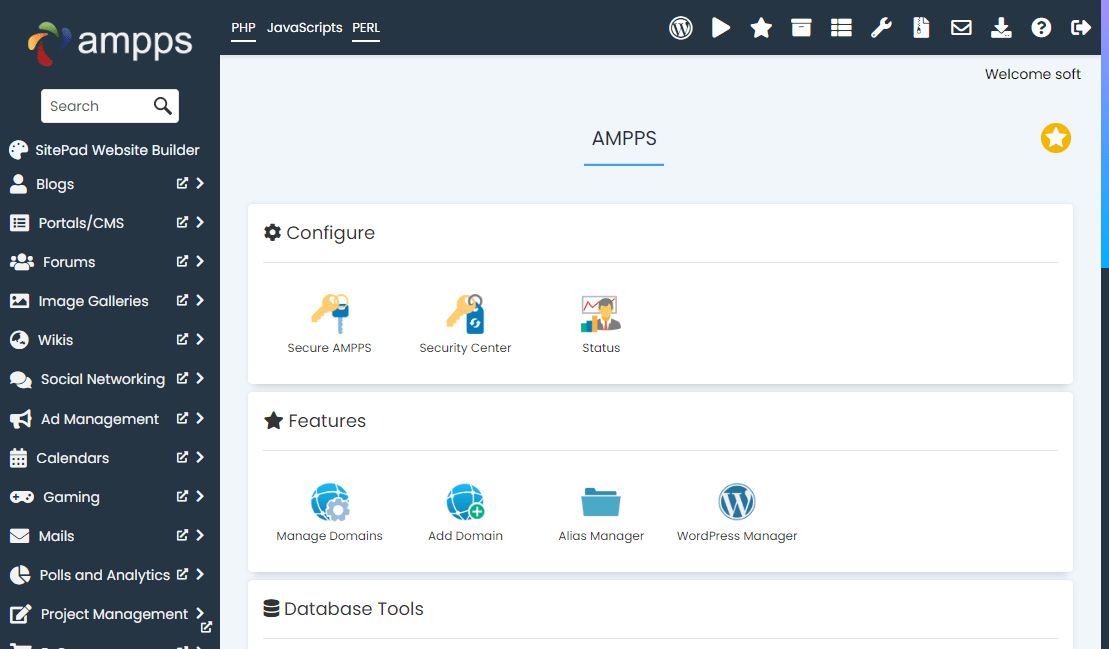
Con «AMPPS» Softaculous obtiene un paquete completo de servicios para aplicaciones web. El popular servidor Apache, un servidor MySQL, PHP, Perl y Python están incluidos en el paquete. En el Centro de control puede iniciar y detener las aplicaciones con un solo clic, tener acceso a los archivos de configuración y ver informes de errores. Incluso los desarrolladores web aficionados apreciarán la función de aplicación de «AMPPS».

Puede instalar un entorno de tiempo de ejecución de servidor web con servidor web Apache, base de datos MySQL, PHP y Perl para más de 250 aplicaciones web. Es adecuado para probar sistemas de administración de contenido, pero no es adecuado para un uso productivo y, por lo tanto, no debe ser accesible a través de Internet.

No solo puede instalar WordPress localmente en Windows, sino que también puede instalar otras aplicaciones web populares como Prestashop, PhpBB, DokuWiki, Drupal, Joomla, Magento, Mantis Bug Tracker, MediaWiki, Limesurvey y más…

Es una aplicación de código abierto disponible para Windows 11, 10, 7 y otras versiones anteriores.

enlace de página web

Ampps Windows Softaculous Local WordPress

3. Windows 10 u 11 WordPress por Bitnami

Bitnami es conocido por proporcionar varios paquetes de aplicaciones web para instalar rápidamente en Windows, Mac y Linux. Esto hace que la instalación de WordPress sea muy fácil localmente en Windows 10 u 11 debido al dispositivo Bitnami WordPress preconfigurado.

Bitnami fue adquirida por VMware en 2019 y no se limita solo a WordPress; Excluyendo las aplicaciones empresariales compatibles con la comunidad, que también se pueden usar con Bitnami, hay más de 180 en número. Por ejemplo Drupal, Joomla!, Redmine, AbanteCart, PrestaShop, Magento, MediaWiki y muchos otros…

Además, para instalar aplicaciones web populares localmente para realizar pruebas, Bitnami facilita que los usuarios las implementen en Kubernetes y en todas las nubes principales con un solo clic.

Hay dos tipos de instaladores de Bitnami para configurar WordPress localmente en Windows 10 u 11. Uno es solo para un solo sitio web y el otro es para múltiples sitios web con diferentes dominios y subdominios.

Enlace del sitio web o enlace al instalador multisitio

4. InstantWP- Para WordPress en Windows Local

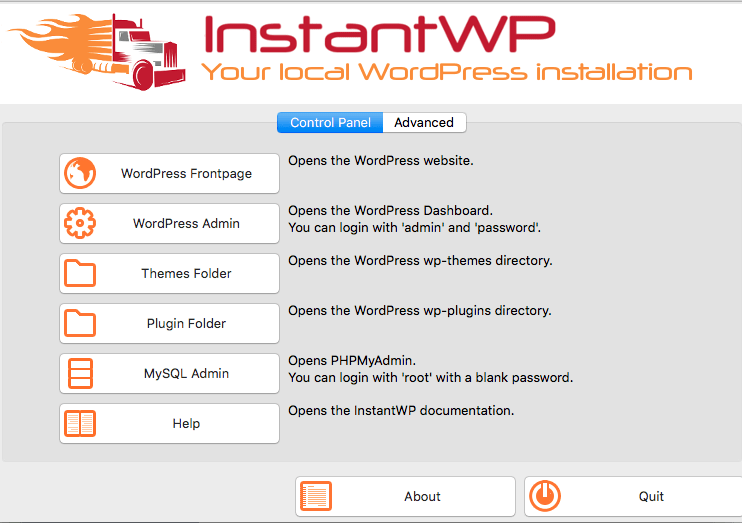
InstantWP es otro de los mejores programas de la lista para ejecutar WordPress localmente en Windows 10 u 11. Al igual que otros, este software también se puede descargar gratis. Podemos usarlo de inmediato y ejecutar un blog de WordPress sin necesidad de un controlador o cualquier otra utilidad.

Otra cosa que hace de InstantWP una aplicación práctica es la portabilidad. Sí, no tenemos que instalarlo, solo hay un ejecutable que tenemos que ejecutar y puedes probar tu sitio web en WordPress.

Por este motivo podemos transportarlo fácilmente en una memoria USB o disco duro USB sin que se pierda nada. Si eres un desarrollador o un usuario que viaja mucho y trabaja en diferentes sistemas Windows y necesita un WordPress de inmediato; Lo que debe hacer es simplemente insertar la memoria USB instalada de Instant WordPress en el sistema y ejecutar el ejecutable Instant Wp, y su WordPress local se encenderá con todos los datos en cualquier momento y en cualquier lugar. Vea cómo usar InstaWP.

enlace web

Ventanas gratuitas instantáneas de WordPress

Conclusión

Aunque todas las herramientas enumeradas son suficientes para lanzar un sitio web de WordPress localmente en Windows, Local WP es una de las mejores, si no te gustó, vale la pena probar AMMPS. Mientras que aquellos que buscan portabilidad encontrarán InstaWP. Bitnami de Vmware es una aplicación muy sencilla que no ofrece muchas opciones para configurar el servidor y PHP, por lo que es solo para aquellos que quieren WordPress CMS listo para usar y no les importa mucho otras configuraciones.

Preguntas más frecuentes

¿Cómo descargo la herramienta local de WordPress?

Para descargar la herramienta local de WordPress, visite el sitio web oficial y haga clic en la versión de Windows, Linux o macOS según la plataforma.

¿Cómo instalo WordPress localmente de forma gratuita?

Hay muchas herramientas gratuitas que nos ayudan a instalar WordPress localmente con facilidad, como LocalWp, AMPPS, Bitnami WordPress e InstantWP. Todos ellos están disponibles para la plataforma Windows.

¿Debo instalar WordPress localmente?

Sí, debe instalar WordPress localmente si es un principiante y desea aprender cómo funciona WordPress CMS antes de invertir dinero en un servicio de alojamiento. Mientras que aquellos que son desarrolladores pueden desarrollar y probar su sitio web antes de ponerlo en línea localmente con algunas herramientas gratuitas.

¿Cuáles son los requisitos del sistema para instalar WordPress?

Los requisitos del sistema para instalar WordPress localmente o en un servidor de alojamiento son:
1. Servidor web Nginx o Apache (con módulo de reescritura de mods)
dos. Debe haber 1 GB de disco libre en el sistema, pero se recomienda más.
3. PHP 7.4 o versión superior
cuatro MySQL 5.015 o superior; o MariaDB 10.1 o superior para la base de datos
5. 512 MB de RAM libre o más para un mejor rendimiento
6. CPU 1.0GHz o más

La plataforma francesa Web3, que se convertirá en el «Shopify» del metaverso, recauda 3 millones de euros en capital inicial

0
La plataforma francesa Web3, que se convertirá en el

La plataforma de gestión de contenido de marca blanca METAV.RS web3 está destinada a ser el Shopify del metaverso.

METAV.RS

La start-up francesa METAV.RS es una nueva solución de marca blanca para las marcas que ingresan al metaverso. La plataforma de administración de contenido sin código proporciona a las marcas de lujo y minoristas una serie de aplicaciones Web3 para administrar sus propios mundos virtuales o miniversos.

Integrada directamente en el sitio de comercio electrónico clásico de una marca, la tecnología METAV.RS facilita la creación y venta de NFT o bienes desmaterializados y la creación de experiencias de cliente enriquecidas.

La plataforma es interoperable entre los principales metaversos y redes sociales. Es compatible con las principales plataformas de comercio electrónico y sistemas de pago seguro.

“Nuestro objetivo es ser el Shopify del metaverso”, dice el cofundador Clément Foucher. «Tenemos un modelo de negocio similar con nuestras soluciones plug and play, desde vestidores virtuales hasta gemelos digitales».

El equipo implementó una aplicación de reconstrucción 3D (3D Builder), que facilita la digitalización de objetos físicos. Las plantillas generadas se pueden usar para crear gemelos digitales, que se pueden incrustar en múltiples metaversos y/o páginas de productos en sitios de comercio electrónico. ¿La meta? Tanto para democratizar el acceso al metaverso de las marcas como para potenciar los ingresos.

METAV.RS apunta a grandes empresas de lujo y minoristas que ya tienen activos para la integración entre metaversos, dice Foucher, quien ya ha firmado cuentas estratégicas clave actualmente sujetas a acuerdos de confidencialidad.

El equipo actualmente está construyendo un programa de transformación general para un cliente en particular, agrega, lo que implica tokenizar su programa de fidelización con recompensas tanto digitales como del mundo real.

“Los activos podrían ser gemelos digitales, acceso a eventos específicos, votaciones en la DAO. Cuantas más NFT tengas, más beneficios tendrás”, dice. «Este es un programa de gamificación global para Gen Z. La experiencia general del cliente se renovará por completo».

La empresa con sede entre París, Angers, el «Blockchain Valley» francés Vierzon y Hong Kong ha obtenido 3 millones de euros en financiación inicial liderada por Jsquare, un fondo Web3 especializado con sede en Singapur, junto con la consultora francesa Sia Partners (a través del brazo de inversión Studio) , y el fondo de inversión 50 Partners.

La ronda también cuenta con el apoyo de inversores providenciales como el cofundador de Ledger, David Balland, el cofundador y director ejecutivo de The Sandbox, Sébastien Borget, Michael Amar, emprendedor en serie, Thibault Renouf, director ejecutivo de Partoo, Joel Hazan, director general y socio de BCG, Sébastien Lalevée, CEO de Financière Arbevel y Jonathan Bordereau, CEO de Golden Bees y gerente de la aceleradora web3 de 50 Partners.

Se desplegarán fondos para el reclutamiento y la capacitación en TI para acelerar el desarrollo de la plataforma, la creación de modelos, y expansión mundial. METAV.RS está jugando a duplicar su equipo a finales de 2023.

METAV.RS tiene 20 empleados y está incubado en Station F en París por el gigante coreano de la web y el metaverso, Naver. Fue creada en enero de 2022 por cuatro socios: Simon y Clément Foucher, Jérémie Salvucci y Adrien De Lavenere-Lussan. Sus antecedentes abarcan emprendimiento, transformación digital y marketing, 3D, ingeniería, desarrollo de software y producción de video.

METAV.RS también participará en, y en algunos casos creará colecciones de NFT para, varios eventos en los próximos meses, incluyendo Web Summit en Lisboa, GITEX en Dubai, CES en Las Vegas y NRF en Nueva York. La puesta en marcha ya ha creado un MetaJacket NFT para Metaverse Summit que se puede integrar tanto en Decentraland como en The Sandbox.

El equipo METAV.RS en París.

METAV.RS

WordPress, Joomla and Drupal are NOT the Best CMS – CMS Critic

0
WordPress, Joomla and Drupal are NOT the Best CMS

As popular in name as these three open source CMS are, the fact of the matter is they are simply NOT the best CMS on the market. I realize that this statement may upset people in their camps but it is a  statement of fact.

For years, people’s honest intentions have been doing these content management systems a disservice by blindly recommending them for everything under the sun just to help them gain more popularity and a  larger user base. What they don’t realize, however, is this type of action does more to hurt the project’s name than to help it (in most cases). Today, I’m going to explain to you why these three popular CMS  simply are not the best ones on the market.

I’ve been waiting to write this post for some time but I think it’s very important and may help people understand how to properly choose a  CMS without making blind assumptions that hearing a brand name over and over means it’s automatically right for them.

When lurking around Quora and other popular QA websites, I often come across people asking questions about which CMS they should consider for their project. The exchange normally looks something like this:

The question: What CMS should I use?

Reply 1: Definitely Joomla, it’s the best!

Reply 2: WordPress all the way!

Reply 3: Drupal is way better, I’d suggest taking a look at it!

This type of blind recommendation, as I mentioned above, not only adds no value to a conversation but also does nothing but further confuse the person who is asking the question in the first place. In this single question, without any qualification of what this user needs or wants from a CMS, three completely different systems with three completely different skill levels have been recommended and the fact is,  as much as this may upset those who are in either of these camps, none are the best.

Let’s discuss something very important for a moment. This may come as a shock to you but…

There is no BEST CMS.

There, I said it.

I’m sorry to all of you in the Joomla, Drupal, and WordPress camps but the fact of the matter is, but your CMS is simply not the best. Of the thousands of content management systems on the market has their own strengths. There are some that are suited better to blogging, some that are great for complicated projects requiring more of a framework, and some that are better for multilingual websites, and that’s just describing a few use cases.

Some of you may be wondering why then, do we have a number of “Best CMS” related categories in our CMS awards. The reason is simple, people want to be able to vote and nominate on their favorite projects and I wanted to make sure that some of the lesser-known projects get their moment in the spotlight. I think it’s worth helping projects of all kinds get exposure. While the terminology  “Best CMS for Enterprise ” may not seem like the best idea, I’ve tried to break them into specific categories to help align them with a purpose so that rather than a simple Best CMS award, which wouldn’t be very valid given what I’ve just told you above.. a Best CMS for Enterprise, for instance, is easier to identify because you are identifying its purpose. I don’t like using the term Best CMS in any wording which is why I’ve split them into more specific categories this year.

Now, let me tell you why these products are not the best CMS on the market. I’m sure this is likely going to upset some people but I think these things are important to identify.

WordPress is NOT the Best CMS

WordPress is, first and foremost, a blogging platform. Yes, I know,  there are those who say it’s the best for everything under the sun including corporate websites and more but the fact of the matter is that when the developers are working on features for WordPress, writing blog posts is their #1 focus, not whether or not it can run a realty website or law firm.

Furthermore, WordPress suffers from something a lot of content management systems suffer from.. too much dependence on plugins. On top of this, plugins are not tested by any WordPress core developer to ensure they pass some form of QA before entering the plugin repository.  As a result, issue such as this one can occur: http://www.pcworld.com/article/2458080/thousands-of-sites-compromised-through-wordpress-plugin-vulnerability.html

More Plugins = More Bloat

Again,  there will be those who argue with me on this but it’s a common issue across content management systems everywhere and with WordPress specifically, it is virtually impossible (note that I said virtually) to run WordPress without installing at minimum 5 plugins from the plugin directory.

Why is this an issue?

Simply put, the more plugins you install, the more your website performance suffers. Sadly, even plugins developed by Automattic (the mother company of WordPress) can cause massive slowdowns in load time and performance (I’m talking to you Jetpack). While the intentions of the developers who are releasing the plugins are good, this often leaves those running WordPress with the task of updating plugins constantly.

Old Plugins and No Warnings

On top of this, a HUGE percentage of the plugins in the WordPress repository is old and out of date yet still available to install on your system. This is a huge issue as these older plugins still exist and are not removed. There really needs to be an automated system that removes plugins older than say, one year, automatically if they are not updated otherwise someone can unknowingly install something that can expose their website to vulnerabilities.

To test out this, I was able to install (without any warning whatsoever)  a plugin from 2008 on my system unknowingly. How does something like this happen? The plugin search capability within WordPress does not show the date the plugin was developed or warn you that it might not be compatible unless you hit the details button. If you search and read the excerpt of a plugin and think it’s what you are looking for, you can hit install and not have any idea that the plugin is 4 years old and likely to cause massive problems with your system.

To be blunt, this is a complete joke and I’m floored that the repository hasn’t been purged of this old garbage by now, or at the very least, a warning hasn’t even been implemented that checks the date and compatibility against your system and alerts you (or better yet prevents you) from installing a plugin that isn’t current.

Don’t believe there are a ton of old plugins? Check this link. This is just a small sampling of a huge problem. Do you really think installing something developed for the release of WordPress from 2008  would be a good idea?

**Update: WordPress has made some changes to their plugin directory to attempt to identify compatibility and updated dates but there are still major issues. While they have begun to rank more updated plugins and ones that are tested with the most current release first and older ones far back in the directory, you are still able to install old plugins with absolutely no warning. Today, as a test, I  attempted to install a plugin that was 6 years old on my WordPress install and it worked perfectly with no warning. This is a major security issue and a huge concern that needs to be addressed as far as  I’m concerned.**

Constant Updates

You see, as a new person who is using WordPress for the first time seeing an update notice, you assume it’s a good thing to do it for security reasons. The problem with this is that more often than not, a  simple plugin update has the potential to bring your site down hard and leave you scrambling to find a developer to help you figure out what just happened.

To be fair, this isn’t a WordPress specific issue (although it is very common with WP) but rather an issue with a significant number of  CMS that rely on plugins (and believe me, the list is long).

A simple solution to this would be to have a fail-safe in place that copies your website, performs the update in a sandbox and, if everything goes well, then executes it on the main site. However, this type of system isn’t very common unless you are using a WordPress-managed hosting solution like WPEngine that allows you to have a dev copy to test updates on.

Conclusion

WordPress isn’t a bad CMS and I’m not attempting to claim that it is.  What I am saying is that, like all CMS out there, it has its faults and specific use cases when it’s best recommended.

The fact of the matter is, there are many other CMS that could do a  better job in situations where WordPress ends up getting recommended and these system simply don’t have the same word of mouth or marketing prowess that WordPress does, therefore they never get explored.

The problem with plugins is that they cause bloat and bloat means your website slows down. Sure, you can use a caching plugin but that in itself is also a plugin developed by a third party and if you want support, you have to purchase that separately. Why caching is not built into WordPress as of yet still eludes me.

Can WordPress be a good option for a realty website, a law firm or something similar? Absolutely but rather than making a recommendation based on no information adds no value to a conversation. It’s important to ask qualifying questions and find out what the individual needs and wants from a project, how it will be used, who will be using it, and so on before attempting to help trim down the list of content management systems.

Joomla is NOT the Best CMS

There are lots of people that love Joomla and that’s great. The  Joomla community has really helped shine the light on open source products on the market. It is, however, simply not the best CMS out there.

The Plugin Game

Joomla suffers from the exact same issue that WordPress suffers from when it comes to plugins. Plugins are not tested against the system by  Joomla core developers before being added to the repository (this same  issue is persistent across a ton of CMS and isn’t Joomla specific)and there are also a significant number of outdated plugins from 2010 – 2012  throughout the Joomla extensions directory.

I haven’t had an opportunity to test out if Joomla will let you install an outdated plugin or not as their Joomla demo was not functioning correctly for me in order to test this so I cannot speak to  that capability on the latest version. Hopefully, it blocks outdated ones or at least gives a warning.

Hacked?

Joomla websites, for some reason, also seem to have a high rate of hacking attempts against them. I don’t blame this on Joomla specifically but I think it’s more due to the fact that Joomla is popular and therefore, hackers focus on it and target websites using it specifically. This happens just as often with WordPress to be sure but I  tend to hear more often from people who have attempted to use Joomla,  been hacked, and are looking for new solutions.

No, I am not making this up. It’s the #1 thing I am contacted about.  To those Joomla fans out there that are ready to freak out that I  mentioned this, I am not saying Joomla is the most hacked CMS by any stretch. I am simply pointing out that in my case, I am contacted about it more often than any others.

In Joomla’s defense, I personally think this is largely due to the core issue in this post.. Joomla being recommended for projects it isn’t best suited for. What I mean by this is the more people that attempt to set up Joomla with no knowledge of the CMS and that are using it for a  purpose that differs from its core strengths, the more likely they are to make mistakes and end up with a hacked site.

Poor recommendations = Poor Experience

I say this because products such as Joomla and Drupal tend to be geared more towards those familiar with content management systems more than say, WordPress would be. They are slightly more advanced products.  In my mind, I see the top three in order of difficulty: WordPress,  Joomla, Drupal (Beginner user, Intermediate user, Advanced user).  Improperly using a CMS for a situation it’s not best suited for can result in problems and a poorly configured system which in turn, can lead to issues down the road.

Joomla also tends to be a bit more advanced than WordPress and those who recommend it to new users who don’t have experience with content management systems or have never used one before are doing them and the product a disservice. There are far easier CMS out there but Joomla is definitely on the right track lately with its releases and is getting much better (the interface is light years above what it was in the 2.5  series).

Halfway House

In some ways, Joomla is halfway between WordPress and Drupal.

As previously stated, it’s in the middle when it comes to usage difficulty, but this is also true for Joomla’s general flexibility and functionality. WordPress can be stretched – in theory at least – to create a very wide range of website types, from blogs to directories.  Drupal, which will soon be discussed, can be used to create almost any kind of website thanks to its building block nature.

Joomla doesn’t stretch quite as far as WordPress, and on the occasions that it does, you can be sure the developers had an uncomfortable time making it happen. Likewise, Joomla cannot be used as a  framework to piece together website elements the same way Drupal does.  Joomla is the piggy in the middle. It works for some, but for others, it only serves to frustrate.

Conclusion

As you can see, like WordPress, Joomla has plenty of issues too and while it is a good product, it’s not the best CMS on the market nor is it suitable to just recommend it for anything without thinking things through carefully and planning out a use case to see if it’s a good fit.

Drupal is NOT the Best CMS

Here’s where things get interesting. In my opinion, Drupal isn’t a  CMS. It’s a CMF. This stands for content management framework and basically means that you can think of Drupal like Lego, you can build anything you want with it with virtually no limitations. It truly is an amazing product BUT (and here’s the big problem) people still tend to recommend it for projects that require way less complex and easy solutions.

As I’ve mentioned numerous times already, this is not helping your favorite CMS succeed. This does a disservice and causes someone to attempt to use it for a purpose it isn’t intended for (or that it isn’t best suited for) and end up frustrated. We all know what frustrated people do right? They spread the word about how frustrated they are.

So, rather than just saying something unhelpful like “Use Drupal,  it’s the best!!!” perhaps you should consider what Drupal was designed to do and what projects it is best suited for before making a  recommendation.

The Module (or plugin?) Conundrum

To Drupal’s credit, they’ve done something right with their module directory (same as plugins for those of you who don’t get the lingo).  They have a drop-down so you can ensure you only see modules that are under active development and are actively maintained.

Why do you not do this Joomla and WordPress? Yes, I’m talking to you.

Personally, I see no reason for maintaining these downloads but perhaps I am missing something here. I will say that in my opinion,  Drupal has the best modules directory of the lot so they get bonus points there.

It just ain’t easy

Let me apologize in advance to all Drupal fans for this next statement. Drupal simply isn’t easy to use. In fact, it’s one of the more complex content management frameworks out there, and people who think setting up Drupal properly is a quick and easy process are definitely going to be in for a shock.

Drupal can be massively overwhelming to a new user but, in the right hands, just like Joomla and WordPress, it can also be great when used properly.

Conclusion

Of the top three, I think Drupal has the most potential for a wider variety of projects considering how versatile it is and the fact that it is, first and foremost, a framework for building complex projects and web applications.

So What is the Best CMS?

This may come as a complete shock to everyone but..

Put simply, there isn’t one and there never will be.

People who ask the question “What is the Best CMS” are just like the people who ask the guy playing Everquest “What is the Best Class”. It’s a  question that, no matter the context, simply cannot be answered accurately because there are way too many variables to consider.

A gentleman I admire, Adriaan Bloem, I think said it best in his post titled ” What’s the Best CMS? ” on his personal blog. To quote him:

Not only is there no “best CMS” in general; there isn’t even a best CMS for you.

All of these tools have drawbacks and shortcomings. Getting the right one means getting one that is the best fit for your scenarios and constraints. But it’s equally important to know the drawbacks. You’re not just committing to the awesome advantages — you’ll always get annoying problems in return. If you know about these in advance instead of ignoring them, you can live with them — and mitigate the problem. Go in eyes wide open.

– Adriaan Bloem, OffandOnline.net

Well said Adriaan. I couldn’t have said it better myself.

So, to all of you out there who think your CMS is the best, I hate to break your heart but it isn’t. Nobody has the best CMS because there is not the best CMS nor will there ever be.

So, what content management systems should you consider trying instead of these three? Here are some alternatives. Note that if your  CMS is not listed, it’s not a slight, I have chosen a few example solutions off the top of my head to mention. The position in this list is based on my opinion based on experience. Hopefully, you find them helpful.

For Bloggers: I list 15 great alternatives here: Simple Blogging Platforms

There are plenty of other options as well. If you need assistance, drop us a line for help.

Leave your thoughts in the comments below.

WordPress tiene algunos problemas serios que arreglar

0
WordPress tiene algunos problemas serios que arreglar

WordPress es el sistema de gestión de contenido (CMS) de código abierto más utilizado en el mundo. A partir de marzo de 2022, el CMS ha impulsado alrededor del 43,3 por ciento de los sitios web del mundo, incluidos The New York Times, Spotify, TechCrunch y el sitio web oficial de la Casa Blanca.

Ahora, la cuota de mercado de WordPress ha bajado un poco al 42,9 por ciento por primera vez desde su creación en 2003, según datos publicados por w3techs.com.

«Durante tal vez 25 años he estado diciendo ‘WordPress o nada’. ¿Ahora? resistente. No me importa», dijo Chris Brogan, jefe de personal de Appfire.

Por otro lado, Shopify y Wix vieron aumentar su participación de mercado a 4.3 por ciento y 2.3 por ciento, respectivamente.

en las cartas

WordPress está basado en PHP y MySQL. Hoy en día, los desarrolladores prefieren un enfoque diferente al de PHP. El exdirector de marketing y comunicaciones de WordPress, Joost De Valk, dijo: “El momento que temía ha llegado. La cuota de mercado de WordPress se está reduciendo”.

La comunidad de WordPress ha tenido discusiones sobre la usabilidad de WordPress por un tiempo, y no sorprende que la participación de mercado esté disminuyendo.

En una publicación de blog, Joost De Valk dijo que en aproximadamente un año, los sitios en Wix y Squarespace mejoraron la velocidad de su sitio más que los sitios de WordPress, en promedio. Aunque WordPress ahora tiene un equipo de rendimiento y ha hecho algunos progresos, en realidad no ha hecho muchos progresos todavía, dijo.

WordPress seguirá siendo el líder del mercado durante mucho tiempo, pero la caída de la cuota de mercado se considera un síntoma de un problema más profundo.

WordPress 6.0

La compañía lanzó recientemente WordPress 6.0 llamado «Arturo» inspirado en el músico de jazz ganador del Grammy Arturo O’Farrill. Incluye más de 500 mejoras y 400 correcciones de errores. WordPress espera hacer que la plataforma sea más fácil de usar para los desarrolladores y brindar una rica experiencia de creación de contenido para sus usuarios finales.

Las nuevas funciones de Arturo incluyen una experiencia de escritura mejorada, patrones integrados y controles de bloqueo de bloques.

“La expansión de Gutenberg a una experiencia completa de edición de sitios web en WordPress significa que todos los problemas con los que tuvo que lidiar la comunidad fueron complejos y de gran alcance. WordPress 6.0 es un ejemplo del compromiso de la comunidad para enfrentar juntos estos difíciles desafíos.

«Con actualizaciones bien pensadas para la experiencia de escritura, la creación de una mejor funcionalidad de bloque y la adición de un nuevo conmutador de estilo intuitivo, estoy muy orgullosa del trabajo que se ha realizado para crear una excelente experiencia de edición de sitios web en esta versión», dijo Josepha Haden Chomphosy, Director General, WordPress.

Por primera vez en una década, Joost De Valk dijo que WordPress está siendo superado en innovación. Otros CMS como Squarespace y Wix tampoco hacen nada innovador en sí mismos; En cambio, solo implementan las mejores prácticas para la velocidad del sitio web y el SEO.

Hora de reiniciar

Hace unos años, no muchas pequeñas o medianas empresas vendían sus productos en línea o tenían un sitio web para empezar. En los últimos años, más aún desde la pandemia, muchas empresas se han conectado y están surgiendo muchas empresas de Internet en todo el mundo. Una pequeña empresa de Internet podría elegir Wix para la velocidad del sitio web y el SEO, ya que depende completamente de su sitio web para obtener ingresos.

Nick Wilmot, miembro de la comunidad más grande de WordPress, dijo que si WordPress quiere mantener o, mejor aún, aumentar su participación de mercado, necesita recuperarse. Para mí, como un estudio pequeño, eso significa lanzar funciones bien pensadas y en gran medida completas que facilitan la creación de sitios web que los clientes encuentran fáciles de administrar, agregué.

Del mismo modo, Jon Henshaw, director de SEO de Paramount, dijo que Wix y Squarespace son herramientas más sencillas para crear un sitio web. A medida que mejoran sus herramientas de SEO, cada vez hay menos razones para cambiar a WordPress.

“@Wix y @squarespace son herramientas mucho más sencillas para crear un sitio web. A medida que mejoran sus herramientas de #SEO, cada vez hay menos razones para cambiar a @WordPress”.

«El proyecto completo de edición del sitio está tardando demasiado… causando que el resto de la plataforma se quede atrás» https://t.co/oovnHHQvbV

– Jon Henshaw (@henshaw) 11 de mayo de 2022

La conclusión es: WordPress tiene problemas que solucionar.

Las medidas de reducción de costos de Wix.com podrían aumentar el valor para los accionistas, dice un analista – Wix.com (NASDAQ:WIX)

0
Las medidas de reducción de costos de Wix.com podrían aumentar el valor para los accionistas, dice un analista - Wix.com (NASDAQ:WIX)

Wix.com Ltd. WIX Según Oppenheimer, los accionistas podrían beneficiarse de las medidas de reducción de costos de la plataforma de creación de sitios web.

El analista: Ken Wong mejoró la calificación de Wix.com a Superar manteniendo el precio objetivo sin cambios en $100.

Tesis: Starboard adquirió una participación de aproximadamente el 9% en la compañía y dijo que las acciones están «infravaloradas» y representan una «oportunidad de inversión atractiva», dijo Wong.

Echa un vistazo a las reseñas de otras acciones de analistas

«La administración ya está alineada para un crecimiento equilibrado, pronosticando un margen del 20 % hasta el año fiscal 25 con objetivos a largo plazo con una tendencia de ~30 %», escribió el analista. «Nuestras conversaciones muestran que los inversionistas generalmente son constructivos con el enfoque más equilibrado de Wix, pero ven la participación de los activistas como un catalizador positivo para acelerar los esfuerzos para optimizar las operaciones y responsabilizar a la gerencia para mantener el rumbo (igual de importante)».

Acción de precio de WIX: Las acciones de Wix.com subieron un 1,24% a 78,29 dólares en el momento de la publicación del jueves.

Maple Finance pretende ser el Shopify de los préstamos criptográficos – Decipher

0
Maple Finance pretende ser el Shopify de los préstamos criptográficos - Decipher

Decrypt DeFi es el boletín electrónico DeFi de Decrypt. (dibujo: Grant Kempster)

La semana pasada, Maple Finance, una plataforma de facilidad de crédito como servicio, anunció que había creado una nueva facilidad de préstamo de $300 millones para mineros de Bitcoin en apuros.

Esto significa que todos los criptomineros que luchan por obtener ganancias en el mercado bajista actual ahora tienen una mano lista. Sin embargo, para este servicio, a los mineros les costará hasta un 20% pedir fondos prestados para mantener sus operaciones.

Sidney Powell, cofundador y director ejecutivo de la compañía, le dijo a Decrypt en Messari Mainnet 2022 que los mineros pueden mantener esta tasa porque las opciones de financiamiento son limitadas y los bancos tradicionales rara vez se han interesado en hacer negocios con empresas cripto-nativas.

Powell llama a este perfil de cliente específico el “mercado medio”, y es el pan y la mantequilla de Maple. Lo definió como: “Cualquier negocio que ahora está más allá de la recaudación de capital de riesgo, pero que aún es demasiado pequeño. No cotizan en bolsa. Todavía no son empresas multimillonarias, pero podrían operar en un sector de nicho como el cripto”, dijo. «Pero debido a que están en criptografía, los bancos realmente no prestarán a ese sector».

Pero lo interesante de Maple Finance no es que ayude a los mineros a obtener liquidez, sino cómo lo hace.

Maple parece un banco, funciona como un banco y se comporta como un banco, pero no es un banco. En cambio, Maple es un servicio web específico para préstamos con el que las empresas pueden juntar dinero y encontrar prestatarios. Es una plataforma tecnológica más que una institución financiera.

Este grupo de préstamos de $ 300 millones para mineros fue financiado por otra compañía llamada Icebreaker Finance, por ejemplo.

En este escenario, Icebreaker se llama delegado del grupo, y su trabajo es 1) financiar el grupo con capital y 2) examinar a todos los prestatarios potenciales (muy parecido a lo que hace un banco). Es el trabajo del delegado del pool evaluar el riesgo de prestar a estos prestatarios, no el de Maple.

«A menudo uso la analogía de Shopify, donde proporcionaron herramientas para empresas de comercio electrónico solo para construir y administrar sus negocios en línea», dijo. “Le brindamos las herramientas para administrar un negocio de préstamos en línea. Esta compañía de préstamo es realmente el delegado. Este es el papel que cumplen.

La casa comercial de Sam Bankman-Fried, Alameda Research, también utiliza Maple Finance para pedir prestado capital más barato para sus operaciones. Los delegados del grupo incluyen Coinshares, Abra y AscendEX. Y debido a que el delegado realiza una diligencia debida significativa sobre los creadores de mercado, estos préstamos también están subcolateralizados, una rareza en el espacio DeFi.

En MakerDAO, por ejemplo, los usuarios deben depositar $1,50 en Ethereum por cada $1 prestado. Sin embargo, con Maple Finance, los términos entre los prestatarios y los delegados del grupo se establecen en función de la cantidad de garantía puesta y el nivel de crédito de la empresa.

Todo esto puede sonar como cosas criptográficas esotéricas, pero Powell y su día encontraron una gran tracción. Antes del pool de Icebreaker, Maple había administrado $1.8 mil millones en préstamos.

Manténgase al día con las noticias criptográficas, obtenga actualizaciones diarias en su bandeja de entrada.